
Clear calls.
Right team.
Visible progress.
Route every production issue to the responsible team, keep its status visible and retain the operational history in one workspace.
FactoryCall 1.0 – Ready for Your Production.
Production communication is evolving.
Calls, maintenance, inventory, employee shifts and accountability – all in one system.
The web platform is available now. The Android app is coming soon to Google Play.
Be among the first. Pay 50% less.
- Initial system setup assistance.
- Priority launch support.
- Standard 30-day free Pro trial.
First 3 paid Pro months after the free trial.
Clear operational response keeps production moving.
FactoryCall connects operators, technicians, shift supervisors, quality teams and administrators in one real-time work environment.
Replace calls, paper notes and scattered tools with clear routing, accountable response and a traceable history.
FactoryCall is available in 11 languages and built for international teams.
For the people who keep production moving.
Manufacturing companies
A clear operational workspace for factories and production environments.
Operators
Report an issue with the responsible team, line, problem and priority in seconds.
Operational teams
Technicians, shift supervisors and quality teams receive the calls assigned to them.
One connected workflow across the plant.
Android
Android keeps operators and operational teams connected to live calls and their status.
Web
Web gives authorized administrators the overview, configuration, statistics and company chat they need.
See the current FactoryCall workflow.
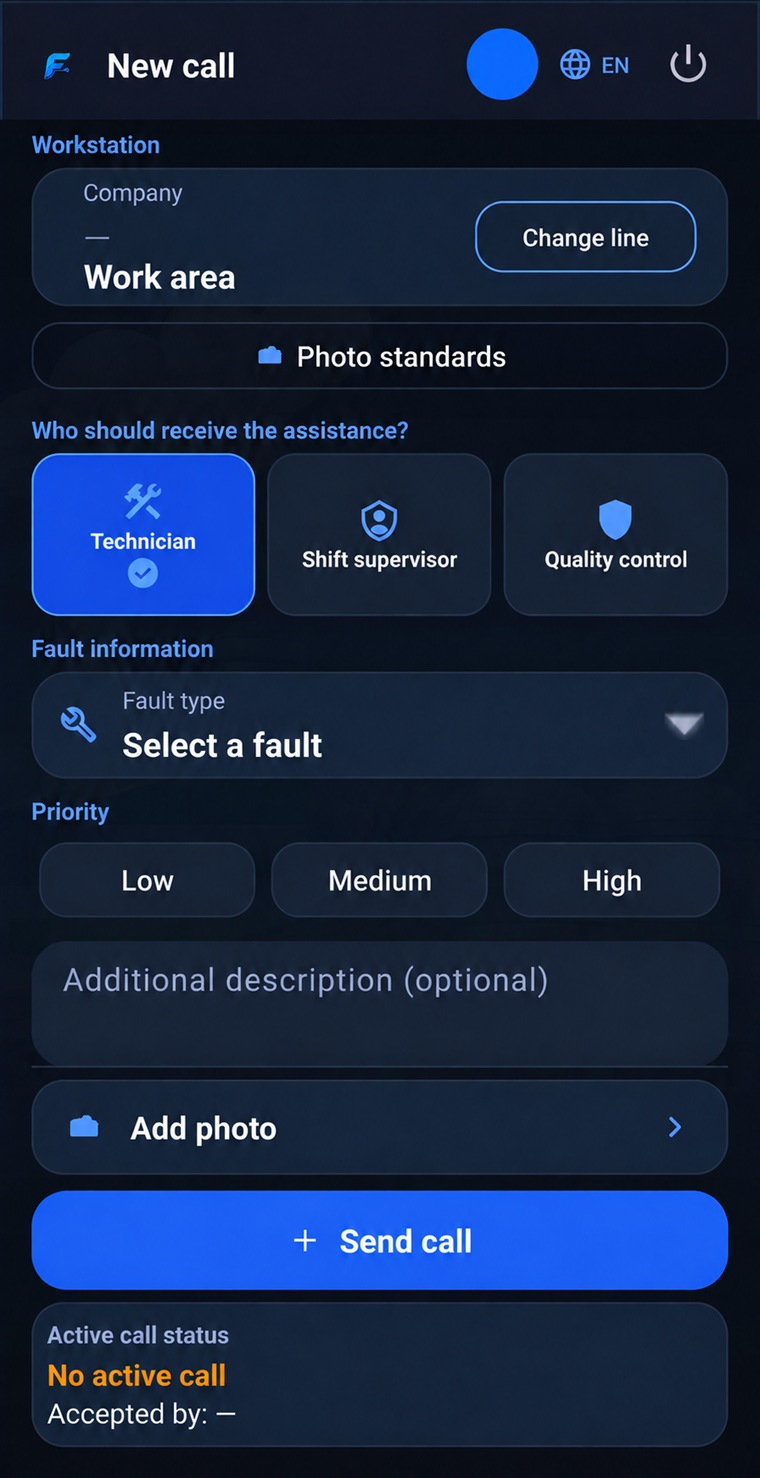
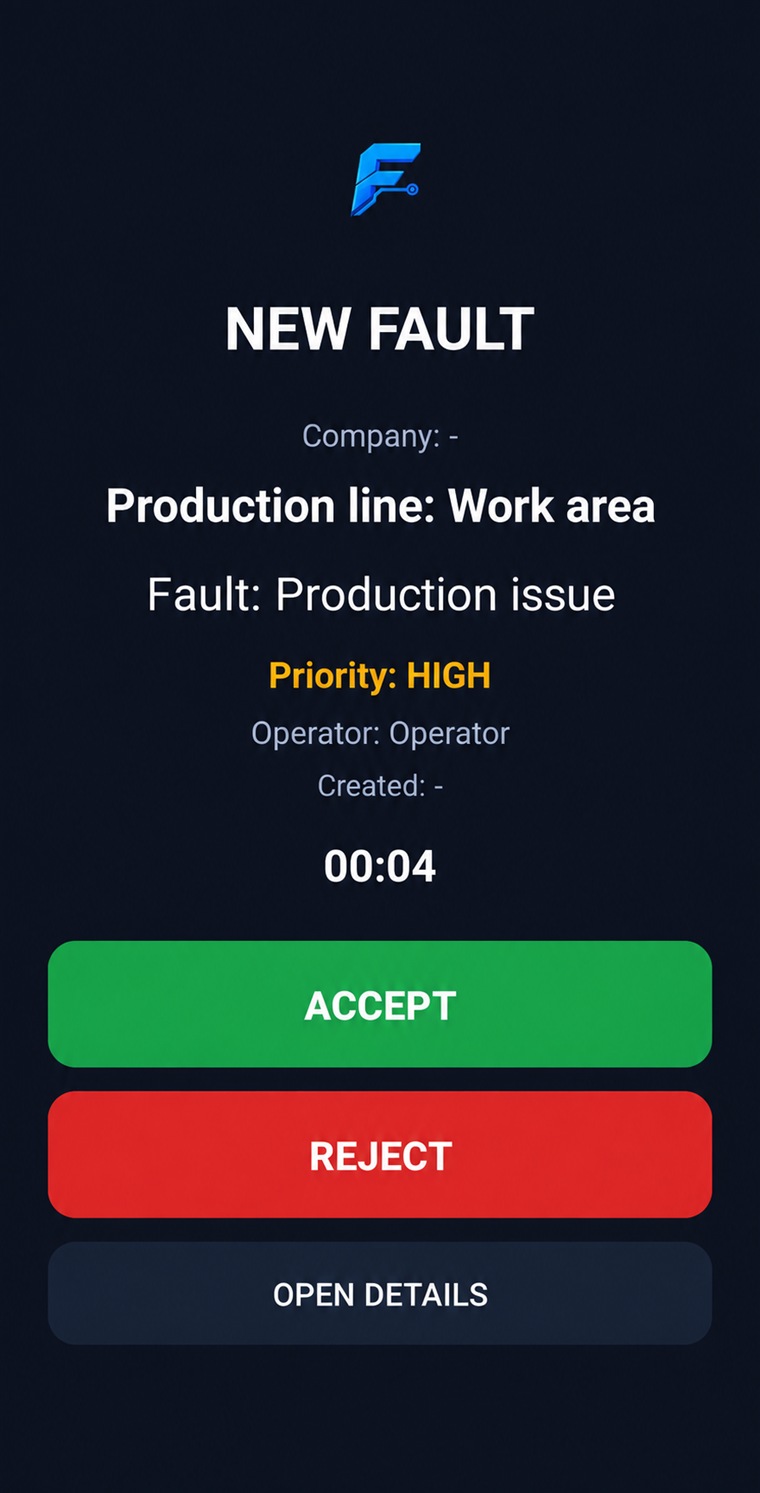
These public screens are real current Android captures, presented in English and anonymized for a clean product overview.
01
Choose the operational role
02
Choose the recipient team
03
Create an operational call
04
Receive and accept a call
05
Follow status and history


Three responsible teams. One system.
The operator sends each issue directly to the team responsible for solving it.

Technicians
Technical faults, maintenance and repair work.

Shift supervisors
Production, process and organisational issues.
Quality control
Quality checks, non-conformities and quality decisions.
A real operational workflow, from call to acceptance.
View original anonymized FactoryCall Android screens for recipient selection, call creation and acceptance.
Watch the demo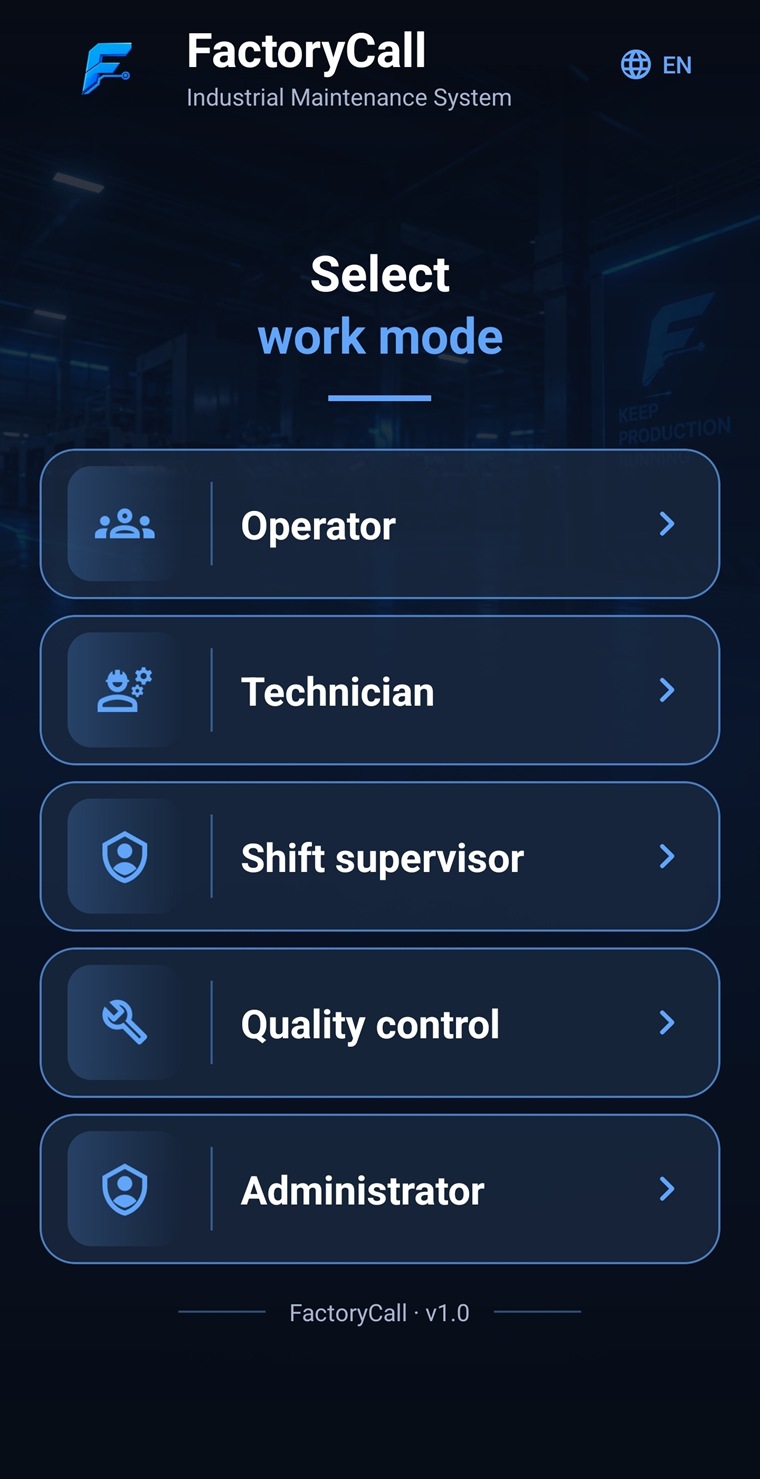
From issue to resolution.
01
OPERATOR
Chooses the responsible team, line, problem and priority, with an optional description or photo.
02
RESPONSIBLE TEAM
Technicians, shift supervisors or quality teams receive and accept the call.
03
VISIBLE PROGRESS
The operator sees who accepted the call and its current status.
04
HISTORY
Acceptance and handling times remain with the completed history.
A clear action for every role.
Technicians
Handle technical faults, repairs and maintenance response.
Shift supervisors
Handle production, process and organisational escalation.
Quality
Handle non-conformities, inspection and quality decisions.
The complete operational chain in one place.
Operational calls
Company chat
Preventive maintenance
Equipment registry
Photo standards
Parts and orders
History and timing
Company and user management
Photo standards
Approved product and group images keep production instructions consistent.
Timing and history
Track acceptance and handling times and retain a reliable operational history.